

Virtual cards for SaaS subscriptions
One card per vendor. Lock it to that vendor only. Cancel the card to stop future charges from clearing. Cancel the subscription with the vendor to fully end your contract.











SaaS sprawl is hard to control with one shared card.
If your team runs on SaaS, you know this pattern. Every problem traces back to one thing: every vendor charges the same card number.
- Trial-to-paid traps. Someone signs up for a 14-day trial. A month later, a $1,200 annual charge lands.
- Surprise renewals. Vendors raise prices mid-contract and re-bill at the new rate. You find out on the statement.
- No clean cancellation. To stop a vendor, you either email customer success or change the card number and break the other 12 tools billed on it.
One card per vendor. Cancel the card to end the vendor.
Every SaaS subscription gets its own virtual Visa. The card is locked so only that vendor can charge it. The monthly cap matches the plan. When you leave the vendor, you cancel the card.
- One card per vendor. Notion gets its own card. Figma gets its own card. AWS gets its own card. No more mystery charges.
- Merchant lock. The card can be restricted to the intended vendor based on supported controls. That makes stolen card details unusable elsewhere.
- Monthly cap matches the plan. If your Notion plan is $96 a month, the card is capped at $100 a month. A price hike gets declined.
- Cancel the card to stop billing. Done with a vendor? Cancel the card and their next billing attempt is declined. Cancel the subscription with the vendor too, to fully end your contract.
- Works alongside other use cases. Same wallet funds contractor payments, business travel, and more.
Four steps to control SaaS spend.
- 01
Pick the vendor.
When you sign up for a new SaaS tool, make a new virtual card for that vendor.
- 02
Set the monthly cap.
Match it to the plan price plus a small buffer for annual prepayment.
- 03
Lock the card to the vendor.
Restrict the card to the intended vendor with supported merchant controls so other vendors cannot charge it.
- 04
Cancel any time.
When you switch tools or end a contract, cancel the card. Billing stops at the network.
Your SaaS spend in one dashboard.
Watch every renewal land, by vendor. Issue, freeze, or cancel any card from the same screen.
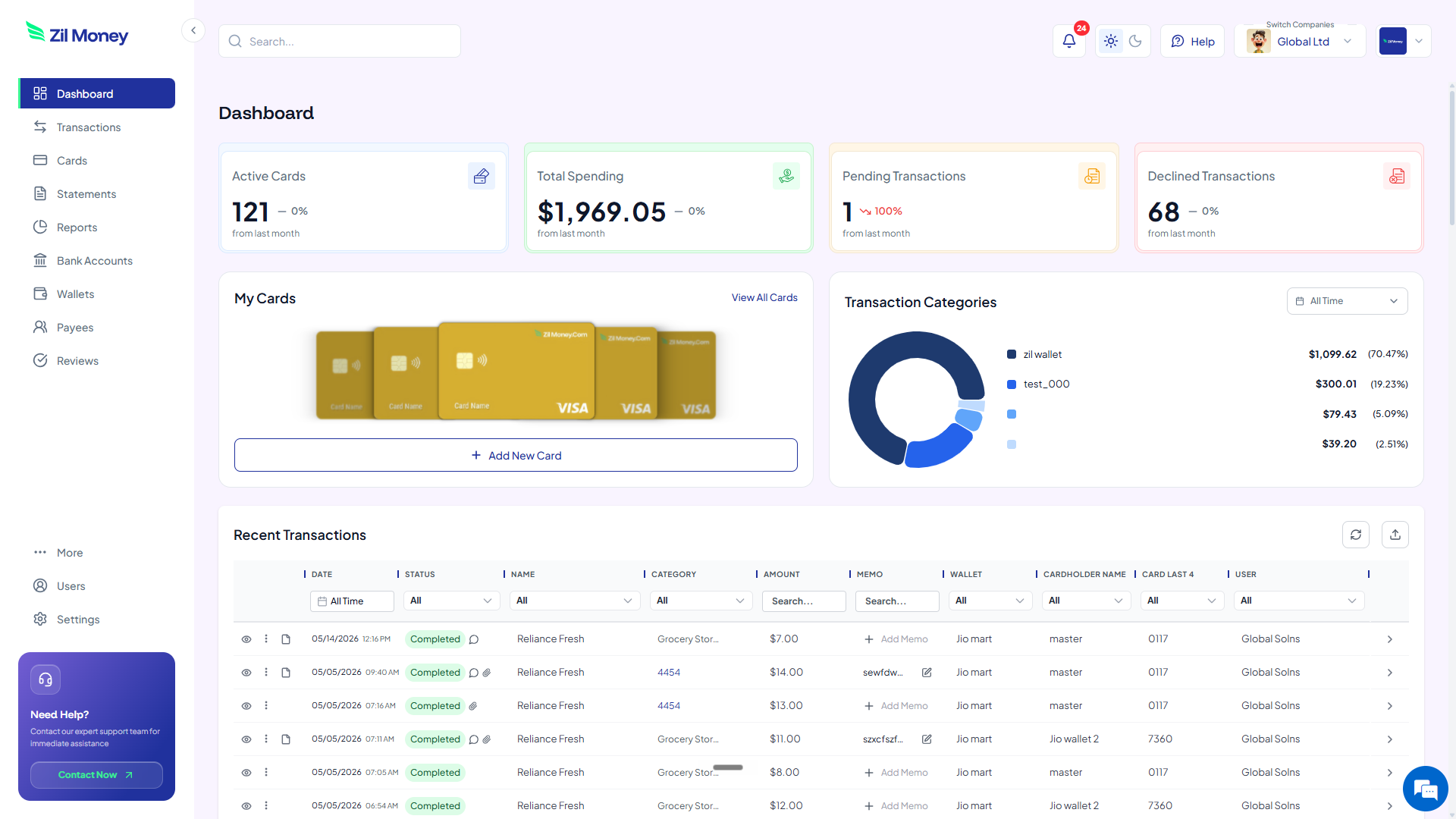
Live dashboard
Active vendor cards, total monthly SaaS spend, declined upgrade attempts, every charge as it happens.
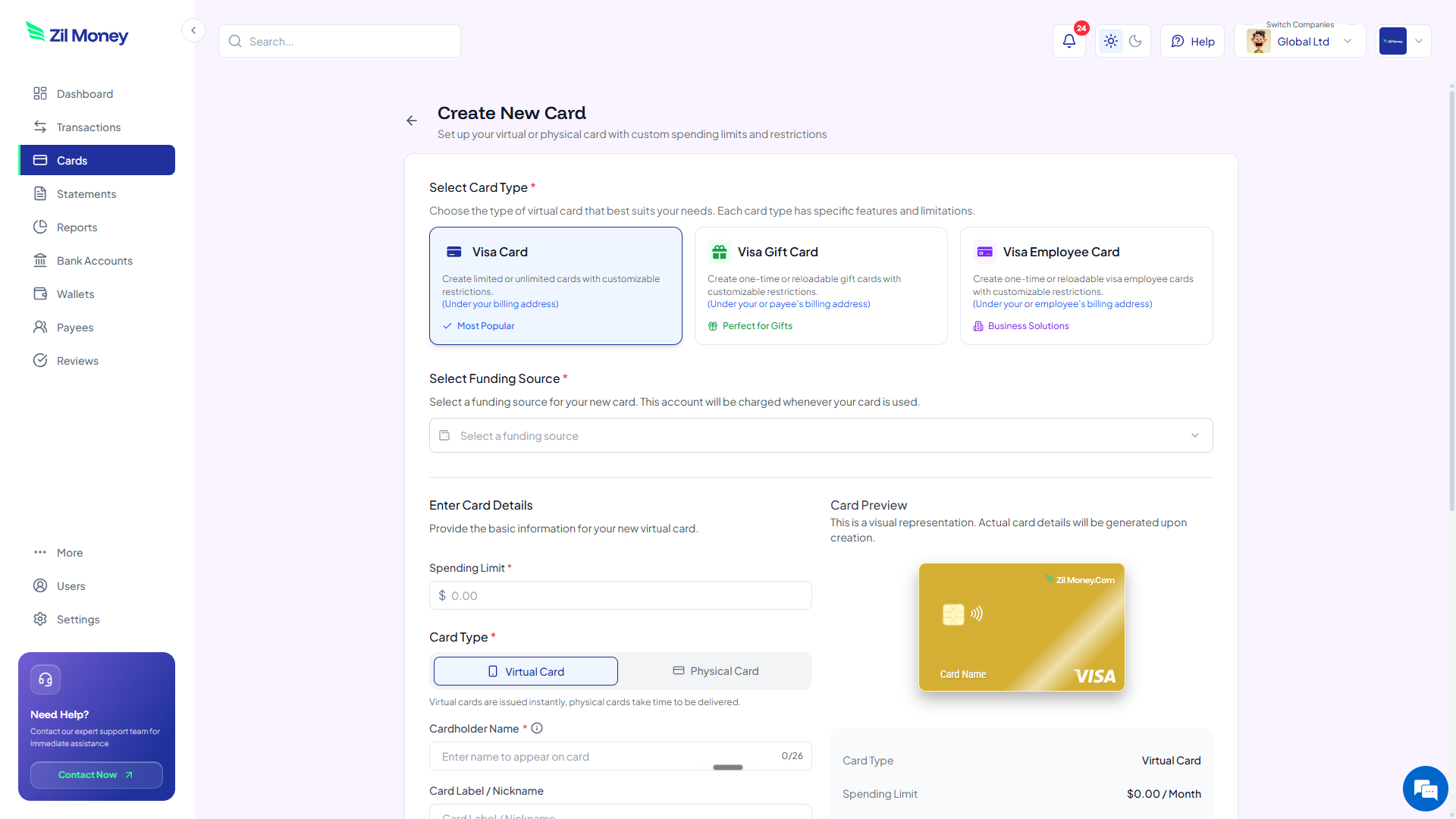
Issue a vendor card in minutes
Pick the card type, set the monthly cap, lock it to one merchant, send to whoever signs up for the tool.
What you can set on every subscription card.
ControlWhat you setWhy it matters
Monthly cap
Plan price plus bufferSurprise upgrades or price hikes are declined.
Merchant lock
Vendor onlyStolen card details are unusable elsewhere.
Hard expiry
Trial end or contract endAuto-renewals fail without approval.
Vendor tag
Reporting labelPer-vendor spend rolls up in your dashboard.
Notifications
Decline alertsYou know the moment a vendor tries to charge over your cap.
Three ways finance teams control SaaS spend.
- Notion Team plan
Card capped at $20 per seat per month with 15 seats. The annual plan upgrade attempt for $4,800 gets declined. You decide to renew on your own terms.
- AWS sandbox
Card capped at $200 a month for engineering tests. A misconfigured EC2 cluster racks up $387? Declined at $200. You catch the bug before it costs $4,000.
- Trial cards
Issue a trial card set to $1 with a 14-day expiry. The vendor verifies with $1. On day 15, their renewal attempt for $99 a month fails.
Need cards for other kinds of spend? See contractor payments, business travel, or department budgets.
Providers buying tools on behalf of client sites will want Virtual cards for IT companies, one card per tool.
Paying for those subscriptions before there is a finance team is covered in Virtual cards for startups, wallet-funded from day one.
Common questions.
Can I trial a SaaS tool without auto-renewal?
Yes. Make a card with a hard expiry on the trial end date. When the vendor tries to bill on the renewal date, the charge is declined.
Does the vendor know it is a virtual card?
No. Virtual Visa cards look like any other Visa card to a merchant. The 16-digit number, expiry, and CVV work in standard checkout.
What if the vendor raises the price mid-contract?
The charge over your card's monthly cap is declined. You get a notification in the dashboard and can approve the new price or cancel the vendor.
Can I see all my subscription cards in one view?
Yes. The dashboard shows every active card with the vendor name, monthly spend, and renewal date.
Does this work for annual subscriptions?
Yes. Set the annual amount as the card limit and a one-year expiry. The single annual charge clears. The next year's renewal needs explicit approval.
Related setups.
- Use cases
Virtual gift cards for employees
Skip the Amazon-only restriction. Issue bulk virtual Visa gift cards to your team in one Excel upload. Recipients spend them anywhere Visa is accepted.
3 min read - Use cases
Virtual cards for supplier payments, matched to every invoice.
Stop sending money into a pooled bank feed you cannot trace back to an invoice. Issue a wallet-funded virtual Visa for each invoice, capped to the exact amount you owe, then email it to the supplier or charge it from your wallet. The supplier can only take what you agreed to, every card carries the invoice number, and you match one payment to one invoice instead of hunting through a shared statement at month-end.
11 min read - Use cases
Virtual cards for departments
Every team gets its own card. Every project gets its own card. Set the budget. Lock the categories. See who spent what. Stop being the gatekeeper for every purchase.
3 min read
Issue the first one this afternoon.
SaaS subscriptions take about a minute each: pick the type, set the limit, add the restrictions, send it.