Give each vendor, subscription, and employee their own Visa card instead of sharing yours. Put a limit on each one, keep it to a single merchant, and see exactly where every dollar goes, all from one dashboard.
A Visa virtual card is a 16-digit Visa card number you create online, with its own expiry and CVV, funded from your Zil Money wallet. Issue, limit, or cancel a card for any vendor, hire, or project from one screen.
Virtual Card Maker - Powered by Zil Money. Zil Money is a financial technology company, not a bank. Banking services are provided by our partner bank, Member FDIC. FDIC insurance applies only to eligible products with funds held at the partner bank, subject to applicable limits and requirements.


Most teams put every vendor, subscription, and trip on a single company card. One number, no per-charge limits, and no clean way to see who spent what.
Each virtual Visa card has its own 16-digit number, expiry, and CVV, funded from your Zil Money wallet. Create one for a vendor, a SaaS tool, an employee, or a project, and control each one on its own.
If you are new to this, our guide on how to create a virtual card walks through the same steps in detail.
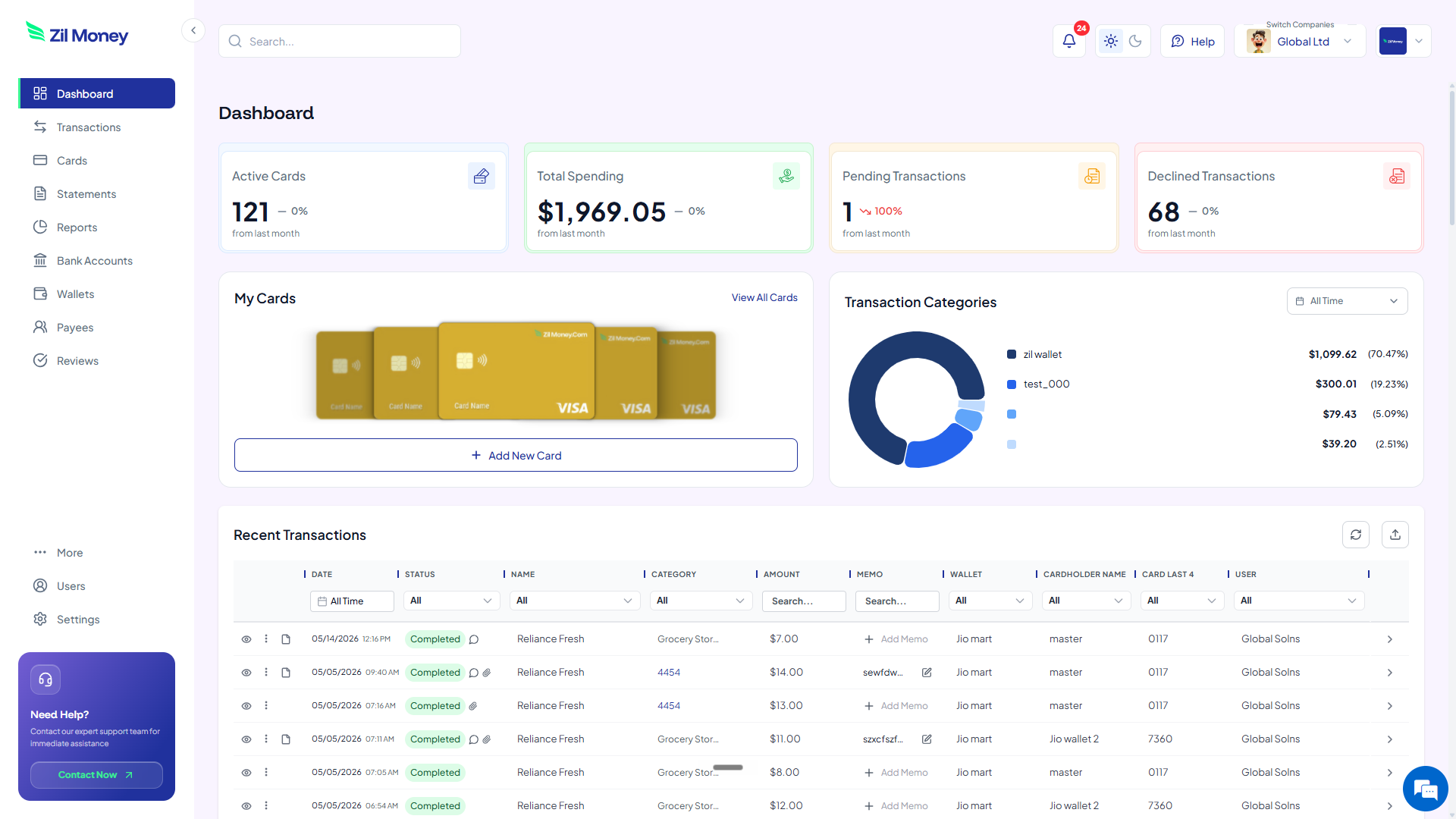
See active cards, total spend, and every charge as it posts. Issue, adjust, or cancel any card from the same screen.
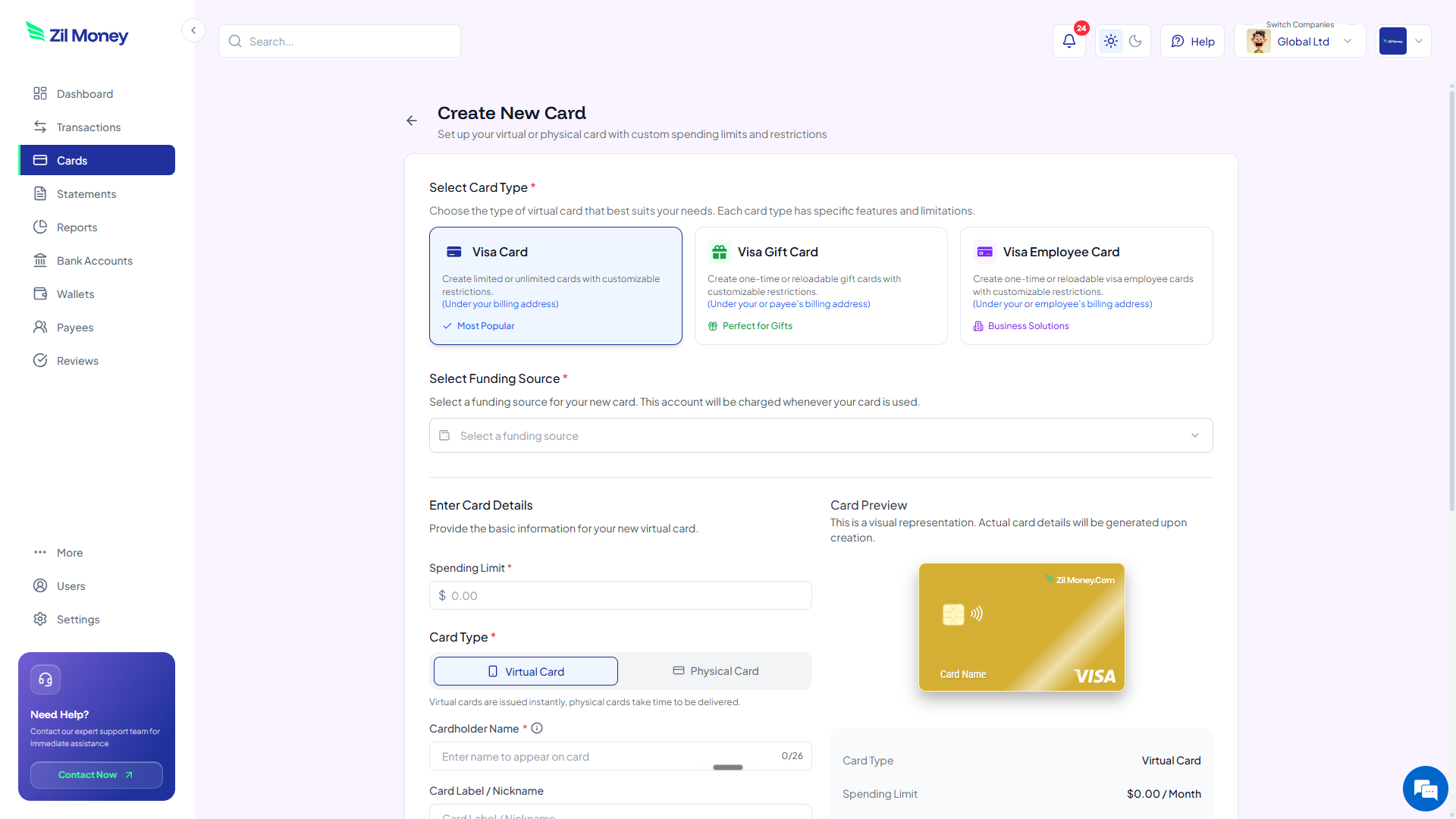
| Control | What you set | Why it matters |
|---|---|---|
| Spending limit | A dollar cap | Charges over the cap can be blocked based on your controls. |
| Virtual or physical | Card format | Spend online right away, or ship a physical card for in-person use. |
| Merchant restriction | Intended merchant | Restrict the card to where you plan to use it, based on supported controls. |
| Time restriction | Active window | Set a start and end date so the card is only live when you need it. |
| Cardholder name | Up to 26 characters | The name printed on the card face. |
Issue one card per vendor with a set limit. If a number leaks or a vendor overcharges, only that card is affected and the rest keep working.
Give each software subscription its own card capped at the plan price. A surprise upgrade or auto-renewal gets blocked.
Hand an employee or traveler a card with a limit and an end date, then cancel it when the project or trip wraps.
See how teams use cards for SaaS subscriptions, vendor payments, and expenses.
Get started online. Fund your wallet, set a limit, and create a card you can use wherever Visa is accepted.