

Virtual cards for IT companies, one card per tool.
IT spend is scattered across dozens of cloud subscriptions, developer tools, and vendor invoices, each billed to whatever card is handy. Issue a dedicated wallet-funded virtual Visa for every tool, lock each card to its merchant and cap it to the expected charge, and your software spend reconciles itself instead of piling up on one shared card that nobody wants to audit.











A shared card gives every vendor unlimited access to your real account number.
IT spend is scattered across dozens of cloud subscriptions, developer tools, and vendor invoices, each billed to whatever card is handy.
- One number behind the whole stack. AWS, Azure, Google Workspace, GitHub, Jira, Slack and the rest all bill the same card, and it pays everything else too.
- The vendor holds it until someone cancels. Access lasts until a person remembers to revoke it, not until the subscription ends.
- One compromised credential lands on everything. A breach at any vendor exposes the card every other tool is billed to.
- Auto-renewals nobody approved. An annual subscription renews quietly because the payment method never expired with the decision to buy it.
- A price hike is discovered after the money has left. Nothing declines an unannounced increase, a duplicate charge, or an unexpected overage.
One card per tool, capped to the expected charge and locked to its vendor.
Issue a dedicated wallet-funded virtual Visa for every tool. The vendor sees a Visa number, not your bank details, your wallet balance, or any other subscription.
- Per-tool cap. Set the cap to the expected charge. A price hike or duplicate bill above the cap is declined at authorization, before the money leaves.
- Merchant lock where supported. Restrict each card to its vendor’s merchant ID or software category, so the number cannot be used anywhere else.
- A label that reconciles itself. Name each card with the tool name and every charge maps to one subscription at reconciliation.
- Receipt on each charge. Attach the vendor invoice to the card charge for a clean paper trail.
- Cancel to cut a vendor off. Cancel the card and the vendor loses the ability to bill you, even if they keep the number on file. Pending charges still settle.
- Bulk-issue from a spreadsheet. Upload a CSV of every tool at once and issue cards for the whole stack in one run. See also managing SaaS subscriptions with virtual cards.
Four steps to put one subscription behind its own card.
- 01
Make a card.
Create a wallet-funded Visa for one vendor and name it for the tool.
- 02
Set the rules.
Set the cap equal to the expected charge, and restrict the card to the vendor’s merchant category where supported.
- 03
Add it to the billing portal.
Paste the number into the vendor’s billing settings. Create the card before you subscribe, not after.
- 04
Review and renew.
Watch the settled entry post under the card’s label. At renewal, reload the card to the new amount; at cancellation, cancel the card.
Every subscription, mapped to one card.
Watch each charge post under the tool it belongs to, with the vendor invoice attached. Issue, freeze, top up, or close any card from the same screen. The same wallet also funds department spending across the company.
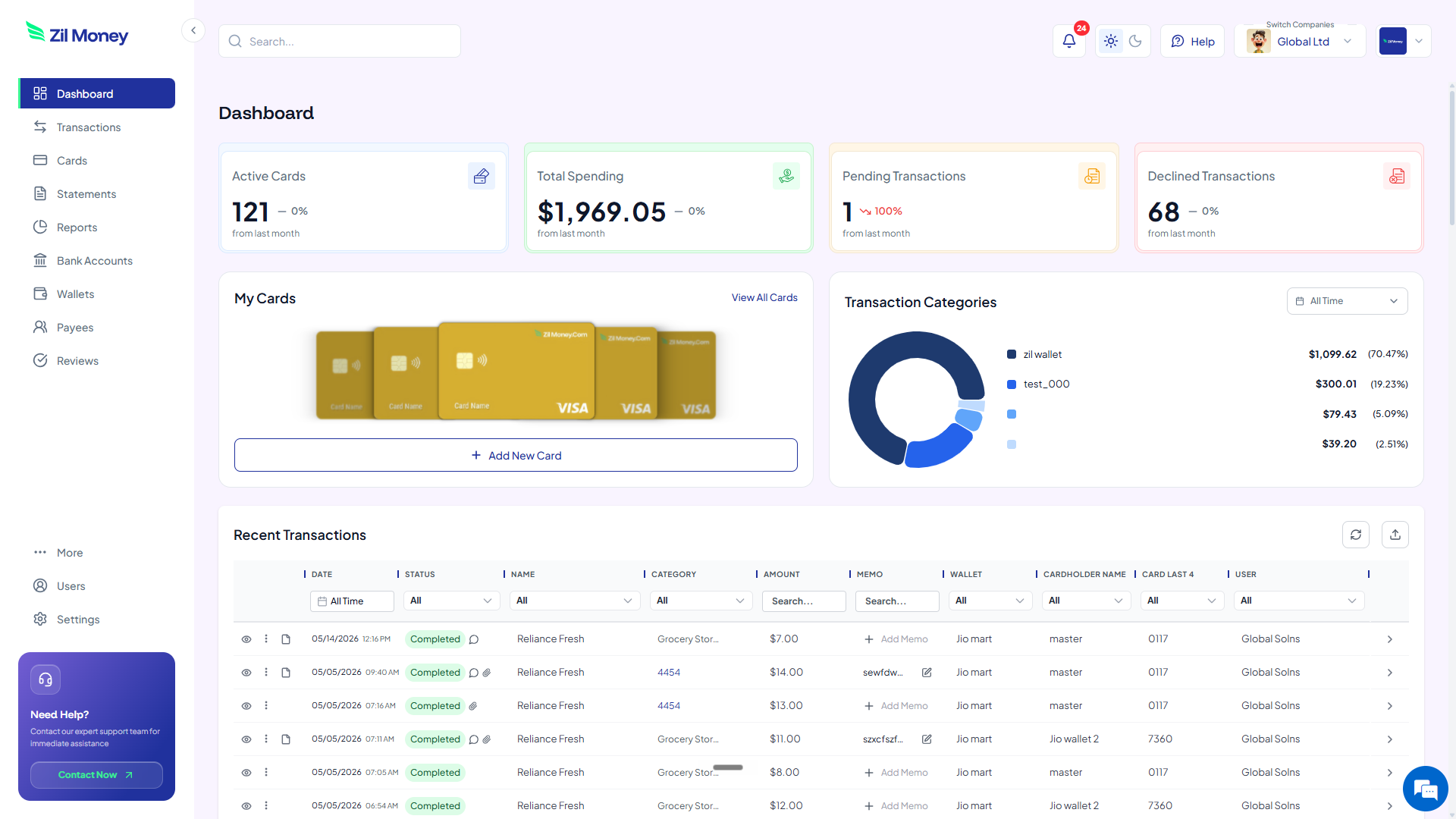
Live dashboard
Active cards, spend by tool, declined attempts, every charge as it happens.
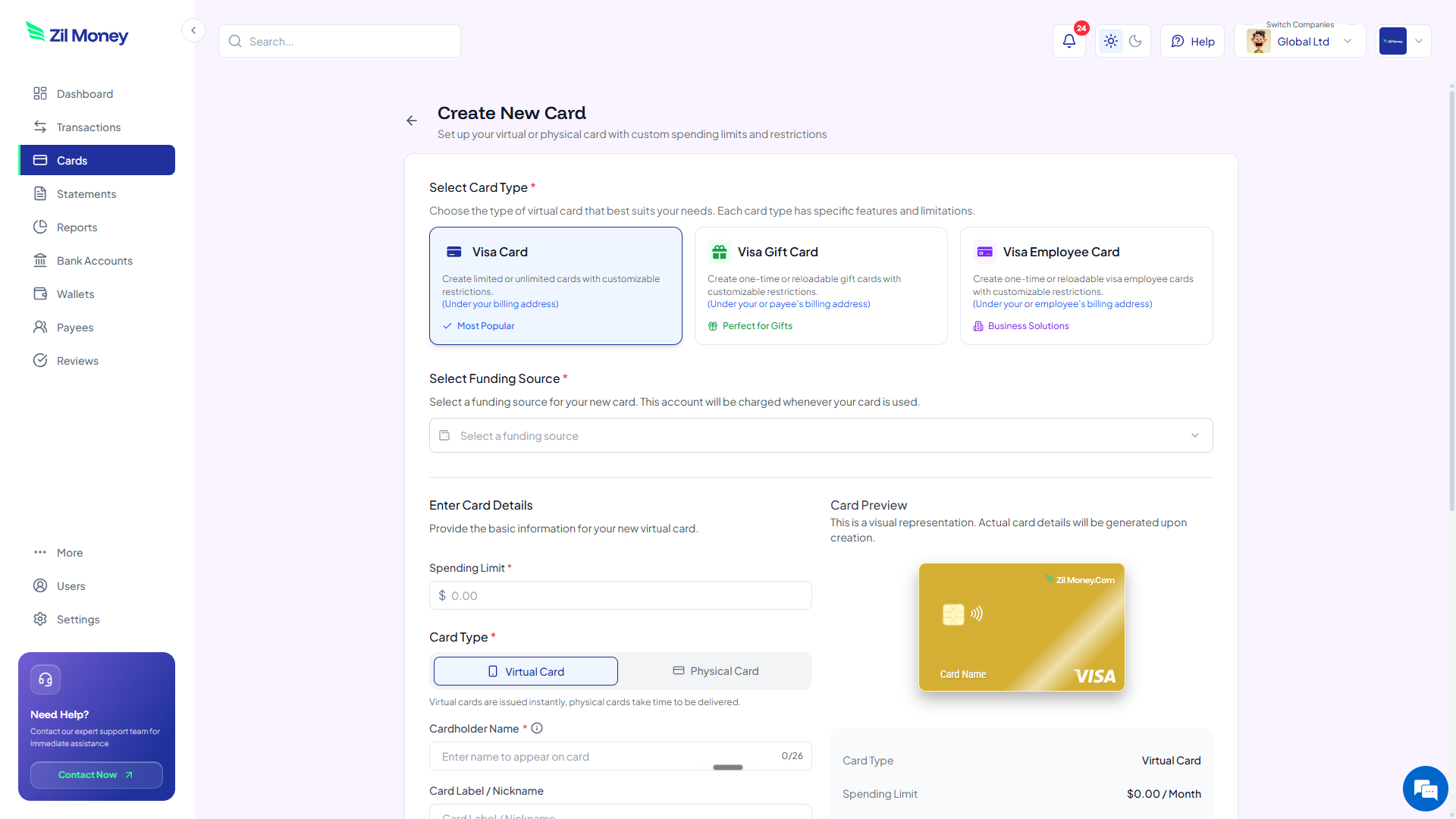
Issue a subscription card
Pick the card type, set the cap to the expected charge, choose virtual or physical, paste it into the billing portal.
What you can set on every subscription card.
ControlWhat you setWhy it matters
Spend limit
The expected chargeA price hike, duplicate bill, or overage above the cap is declined at authorization.
Store categories
Vendor merchant ID or software category, where supportedThe number cannot be used outside the vendor it was issued for.
Time window
Start and end datesA trial or a fixed-term licence stops on its own.
Cardholder name
The tool nameEvery charge maps to one subscription at reconciliation.
One-time or reusable
ToggleA single equipment purchase or a standing monthly subscription.
Three ways IT teams use virtual cards.
- Highest-risk tools first
Start with what has surprised you in the last year: auto-renewing annual subscriptions, usage-based tools with unpredictable bills, and third-party billing portals you do not fully control.
- Fixed SaaS / low surprise, high value
GitHub, Jira, Slack, Microsoft 365. Predictable charges, but a per-tool card means a vendor breach affects only that tool.
- Cloud infrastructure / cap with headroom
AWS, Azure, and GCP are usage-based, so set the cap with DevOps on the last three months’ average plus a buffer. A spike past the cap is a decline and a notification, not a silent overcharge.
Two cautions worth building into the workflow. Only the spend cap is deterministic: merchant and category locks depend on how the vendor’s acquirer codes the transaction and may not always fire, so treat the lock as a backup rather than the primary control. And do not cancel a card while an authorization is pending — cancelling stops new charges, but a pending authorization can still settle and count against the cap.
Common questions.
Can I issue one card per SaaS tool?
Yes. Create a separate virtual card for each subscription: AWS, GitHub, Jira, Google Workspace, and so on. Each carries its own cap and merchant lock, so a charge on one tool never hits another.
What happens if a vendor tries to raise the price without notice?
If the new charge exceeds the card's spend cap, it is declined. You are notified of the decline and can review before reloading or issuing a new card at the new amount.
Can the whole IT team share one wallet?
Yes. Every card draws from the same Zil Money wallet. The wallet balance covers all subscriptions, and you see every card's activity in one place.
What if a vendor does not accept virtual Visa cards?
Most cloud vendors accept Visa. For the few that require ACH or wire, pay those from the same Zil Money wallet and keep both rails in one dashboard.
How do I handle annual vs monthly subscriptions?
Set the cap to the annual charge for annual subscriptions and cap monthly ones to the monthly amount. Reload the card each cycle if it is a standing subscription.
Is there a credit check to open an account?
Virtual cards are wallet-funded: you fund your Zil Money wallet and draw from it to create cards, rather than opening a credit line.
Related setups.
- Industries
Virtual cards for logistics companies, one card per driver.
Petty cash and shared cards are how fuel receipts go missing and mileage claims get inflated. Issue each driver a wallet-funded virtual Visa, cap it to the daily or weekly fuel bud
4 min read - Industries
Virtual cards for real estate: one card per property, every dollar tracked.
A contractor who has your business card number can keep charging after the job ends. A contractor who has a virtual card capped to the renovation budget cannot. Virtual cards for r
6 min read - Industries
Virtual cards for import and export businesses, one card per order.
Paying international suppliers by wire means sharing your real bank details with every vendor, on every transaction, with no way to recover if the payment goes wrong. Issue a walle
5 min read
Issue the first one this afternoon.
IT companies take about a minute each: pick the type, set the limit, add the restrictions, send it.