









 ChatGPT
 Claude
 Grok
Grok
 Perplexity
 Gemini
Why virtual cards fit online shopping
Every online store you buy from keeps a copy of your card. Big retailers, tiny boutiques, and every site in between. You have no control over how well any of them protect it, and breaches happen constantly. A virtual card changes what a store actually holds: a number that is capped, restricted to that store, and easy to cancel. The store keeps a key that only opens one door, and you can change the lock whenever you want.
Three things stop happening the day you switch:
- Your everyday number spreading everywhere. The card you use for rent and groceries never lands in dozens of store databases.
- A breach reaching the card you live on. If a store is breached, the exposed number is a capped, cancelable virtual card, not your main account.
- Saved cards being charged again. A “buy once” purchase can't quietly become a recurring charge, because the card can be canceled after the order.
The right question isn't “am I being paranoid?” It's “why should a store I bought from once keep the keys to the card I use for everything?” A virtual card takes those keys back.
What a virtual card actually is
A virtual card is a real Visa card that lives on your screen. It has a 16-digit number, an expiration date, and a CVV, just like the card in your wallet. The difference: you create it when you need it, set its spending limit, and cancel it when you're done. You can run one card per store, all from the same dashboard.
It works wherever Visa is accepted. Online checkouts, in-app purchases, and in stores through Apple Wallet or Google Wallet where supported. A checkout page treats it like any other Visa, so your buying experience does not change, only your exposure does.
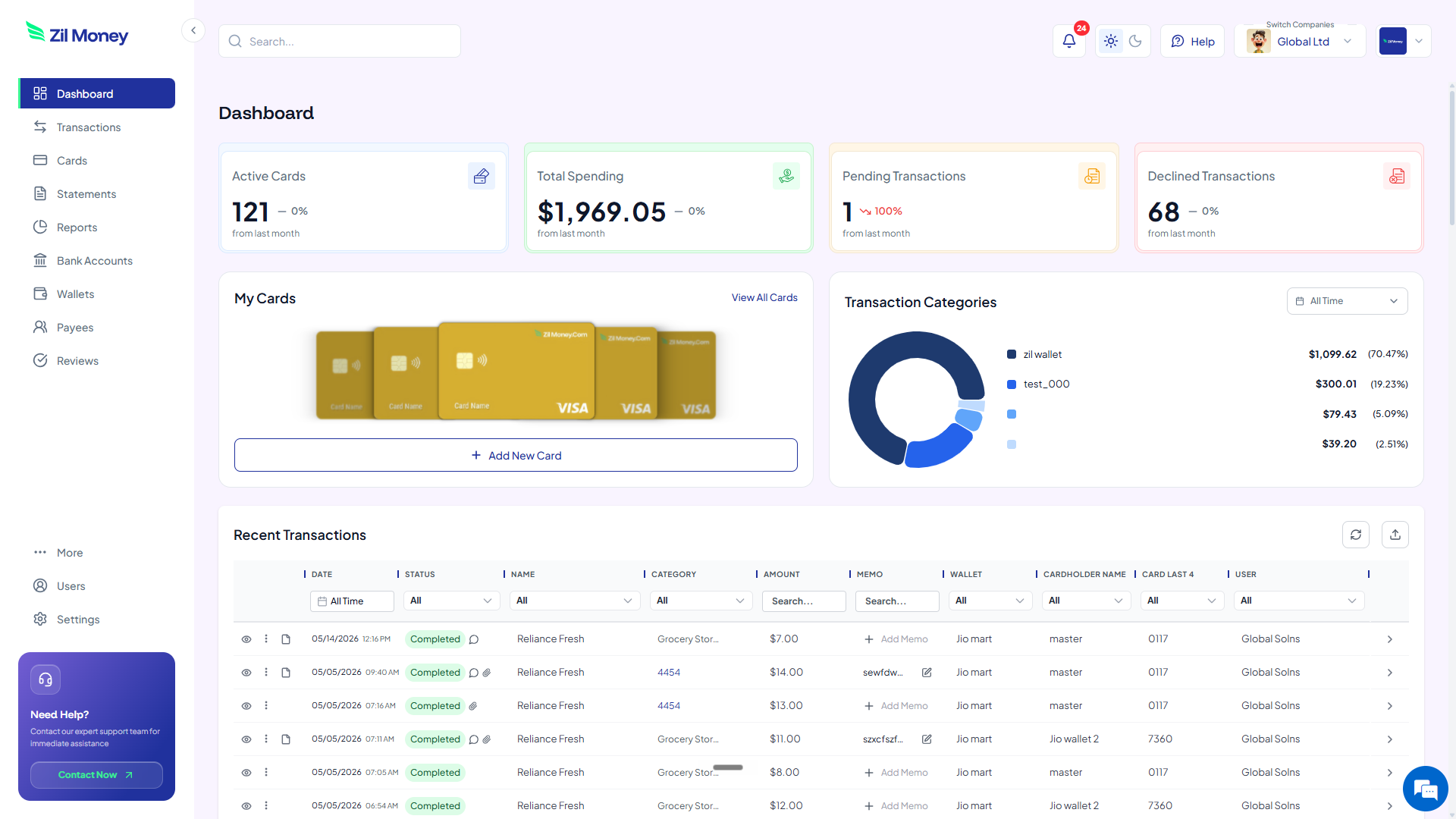
For a quick visual of how a card is built, the homepage shows the dashboard flow. If a purchase is really a subscription in disguise, the guide to virtual cards for free trials covers that case.
A virtual card is a Visa you create per store. Set the limit to the order total, plus a little for tax and shipping, restrict it to that merchant where supported, and cancel it after the order ships so the saved number is already dead.
How to shop online safely with a virtual card in four steps
Here's the full workflow. Read it once and you can run it for every checkout after. Setting up the first card is straightforward, and every card after that is faster.
-
Set the limit to the order.
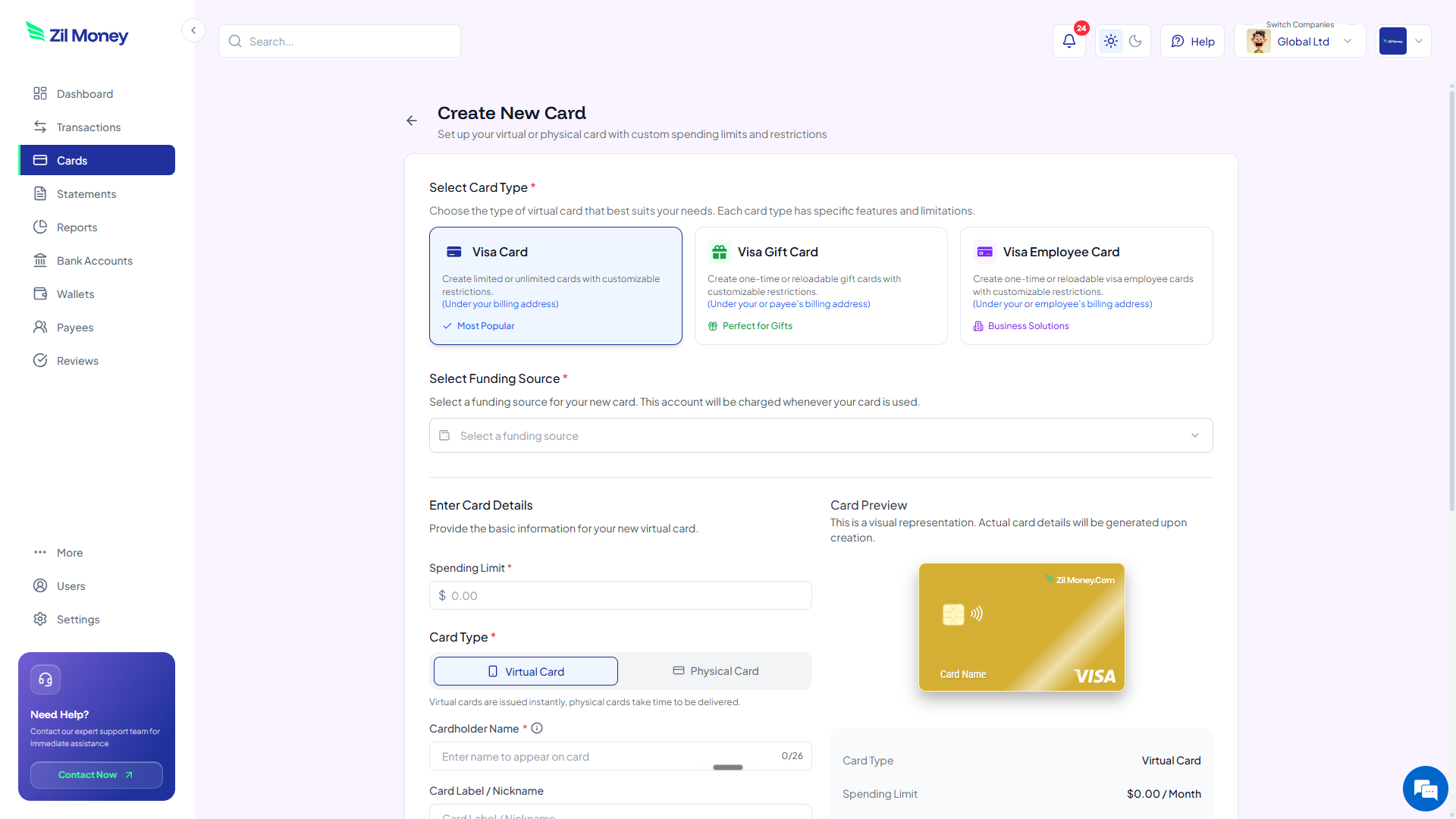
Add up your cart total, then add a little for tax and shipping. That number becomes the card's spending limit, so the store can charge the order you placed and nothing more. Charges above it can be blocked based on your card controls.
-
Create the virtual Visa and label it by store.
In Virtual Card Maker, create the card, set the limit, and name it after the store you are buying from. The card shows up in your dashboard with a fresh 16-digit number, expiration, and CVV.
-
Check out and restrict the merchant.
Enter the 16-digit number, expiration, and CVV at checkout like any other Visa. Where supported, restrict the card to that one store, so the number is useless anywhere else if the store is ever breached.
-
Cancel the card after it ships.
Once your order has shipped, cancel the card from your dashboard so a saved or breached number cannot be charged again. If you shop there often, keep the card and rely on the limit and merchant restriction instead. You keep a per-card record of the purchase.
Tired of typing your real card into every store?
Create a per-store virtual Visa sized to the order and keep your everyday number out of checkouts.
Online checkout with virtual cards vs your everyday card
This isn't about virtual cards being clever. It's that the fallout of a breached number simply goes away. Here's the side-by-side.
One real number, typed into every store you visit.
- Your real card number sits saved in every store you have bought from.
- A breach at any one of them exposes the card you use everywhere.
- A “saved card” can be charged again long after you meant to buy once.
- Fixing fraud means canceling your physical card and updating every biller.
- Forgotten store subscriptions keep billing the same number for months.
A separate card per store. Capped, restricted, cancelable.
- Each store gets its own card, never your everyday number.
- A breached number is already capped and can be canceled in your dashboard.
- Cancel the card after the order and a saved number cannot be reused.
- No reissuing the card you actually live on, and no re-entering it everywhere.
- Every store's charges sit on their own card, easy to read in one place.
Three online-shopping moments where a virtual card saves you
Big ideas are easy to nod along to and forget. Here are three real moments when a per-store card pays for itself, often before the order even arrives.
The one-time gift from a store you have never used
You find the perfect gift on a small site you have never heard of. The price is right, but you have no idea how they handle card data. Instead of typing in your everyday number, you cap a card to the order total and buy. After it ships, you cancel the card. Whatever happens to that little store's database later is no longer your problem.
The marketplace seller you do not fully trust
You are buying from an individual seller on a large marketplace. You want the item, but you do not want your card living in an unknown seller's records. You create a card restricted to that marketplace where supported, so even if the number is captured, it is useless anywhere else and capped to your order.
The store that saved your card and was later breached
Six months ago you bought running shoes and the site saved your card for “faster checkout.” This week the news says that retailer was breached. If you had used a per-store virtual card, the saved number is already capped and canceled. The breach headline is real, but for you it is a non-event.
What happens when an online store gets breached
Card data breaches are routine. When the card that leaks is the one you use everywhere, the cleanup is painful: you cancel your physical card, wait for a new one, and then update every biller and saved profile that used the old number. The Federal Trade Commission runs a step-by-step recovery site at IdentityTheft.gov for exactly this situation, which tells you how much work a leaked number can create.
A per-store virtual card shrinks the blast radius to almost nothing. The number a breached store held was capped, restricted to that store where supported, and easy to cancel. One store's bad week does not become your bad month. You change one card, not your whole financial life.
The same logic carries into recurring spend. If a store quietly turned a one-time buy into a subscription, the virtual cards for free trials guide shows how a capped card stops that too.
Why careful shoppers prefer buying this way
The worry people raise is whether creating a card per store is an annoying extra step. In practice it is far less work than recovering from a single fraud incident. Making a capped card is quick. Disputing fraudulent charges, reissuing a card, and re-entering it across every service is a multi-day chore.
It also changes how freely you buy. When your real number never touches an unfamiliar store, you stop avoiding small sellers and niche shops out of fear. You buy where you want, because the card is built to contain whatever the store does next.
Set up your first shopping card this afternoon
If you have a cart open in another tab right now, here's the simplest next step.
- Sign up. Create an account at Virtual Card Maker. Getting started is straightforward.
- Add funds. Load your wallet with enough to cover the order. You do not have to fund more than you plan to spend.
- Create the card. Set the limit to your cart total plus tax and shipping, and name it after the store.
- Check out. Enter the number, expiration, and CVV, and restrict the card to that store where supported.
- Cancel after it ships. Once the order is on its way, cancel the card from your dashboard so the number cannot be reused.
That's the whole workflow. Use it for one risky purchase, or make it your default for every checkout. Most people who try it once stop typing their everyday card into store forms for good.
