









 ChatGPT
 Claude
 Grok
Grok
 Perplexity
 Gemini
Why virtual cards fit petty cash
Petty cash is the easiest control to start and the hardest to keep honest. A tin of bills has no record of who took what, receipts come back crumpled or not at all, and someone still has to count it. The whole point of petty cash, covering small everyday buys, is exactly what a capped virtual card does better.
Three headaches disappear the moment the tin goes away:
- Unexplained withdrawals. Cash leaves no trace. A virtual card logs the merchant, the amount, and the date on every charge.
- The lost-receipt shuffle. Instead of chasing paper slips, the buyer attaches the receipt to the transaction while they still have it.
- The month-end count. There is no drawer to balance. The dashboard already shows what each card spent.
The right question is not “how much is left in the box?” It is “what is each person allowed to spend, and where is the receipt?” A capped card answers both before the money moves.
What a virtual card actually is
Think of a virtual card as a Visa you spin up on demand. It carries a 16-digit number, an expiration date, and a CVV, but you create it the moment you need it, set its spending limit, and cancel it from your dashboard when you are done.
For petty cash, that means a small card per person or per purpose instead of a pile of bills. It works wherever Visa is accepted, online and in person through Apple Wallet or Google Wallet where supported.
If different teams each need their own small budget, the same idea scales up. The guide to giving every department its own budget covers that next step.
A virtual card is a Visa you create for small spend. Set the limit to what the person or task should spend, attach a receipt to each charge, and reconcile from the dashboard instead of counting a drawer.
How to replace petty cash with virtual cards in four steps
Here is the full workflow. Read it once and you can retire the cash box this week. The first card takes a few clicks, and every card after that is faster.
-
List what petty cash actually pays for.
Write down the real uses: office supplies, parking, postage, team lunches, small repairs. Group them by person or by purpose. Each group becomes a card with its own limit.
-
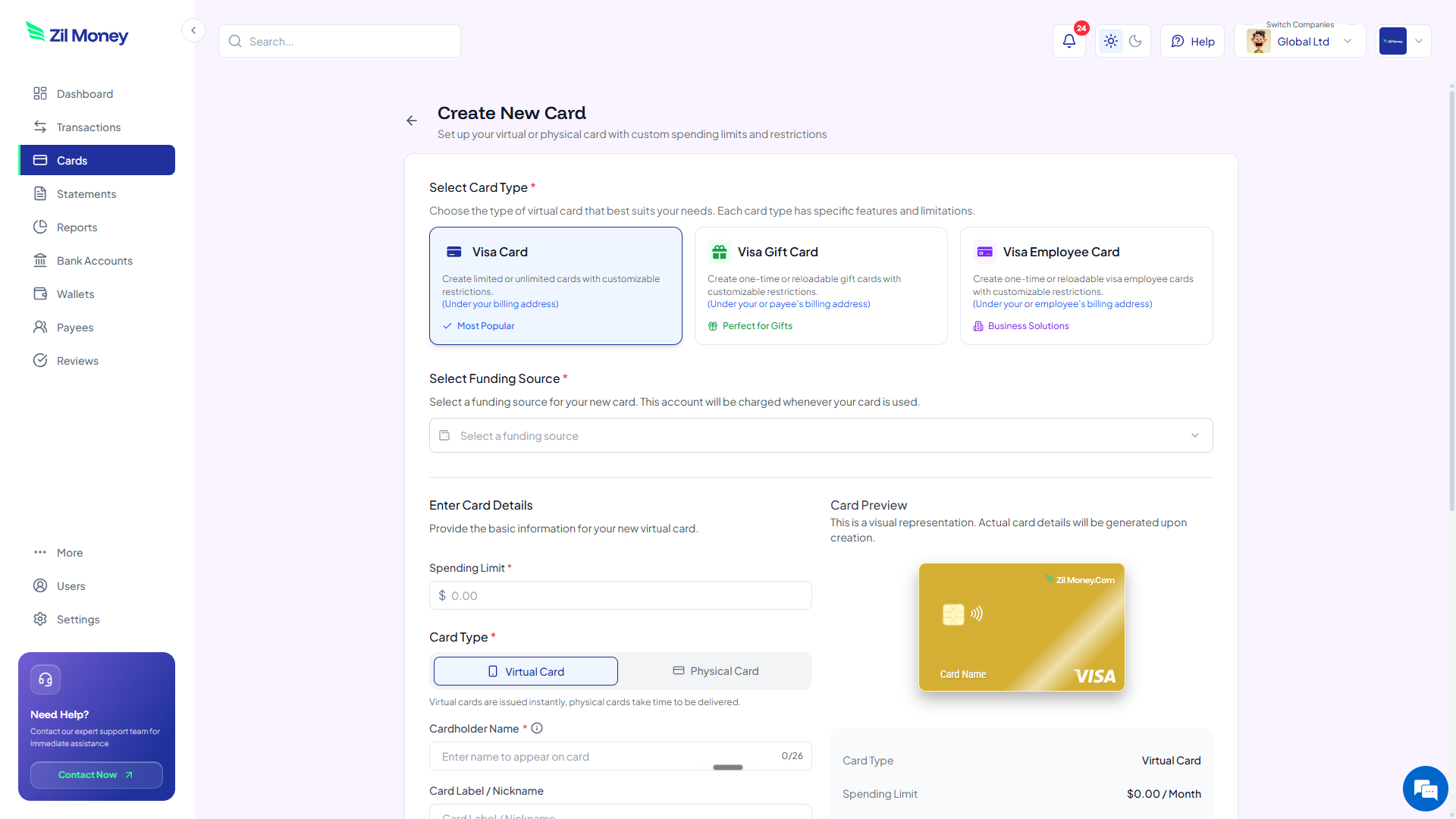
Create a card per person or purpose.
In Virtual Card Maker, create a card for each group. Set the spending limit and label the card clearly, for example “Office supplies” or “Front desk, petty spend.”
-
Set the limit and restrict where it works.
Set each limit to a sensible weekly or monthly amount. Where supported, restrict the card to the merchants it should use, so a supplies card is for supplies and nothing else.
-
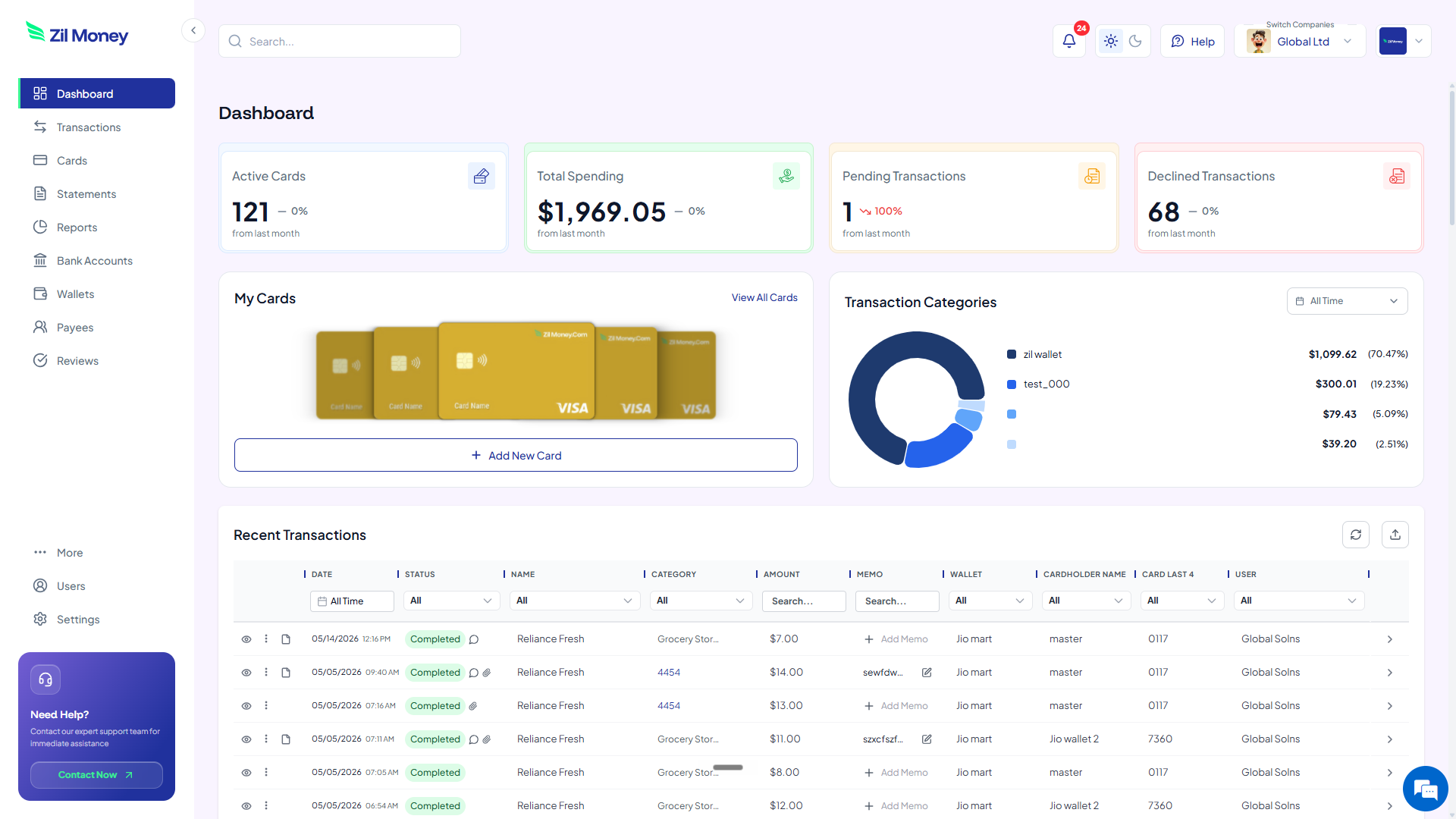
Reconcile from your dashboard.
Charges appear with the merchant, amount, and date. The buyer attaches a receipt to each one. At month-end you read the spend by card instead of balancing a tin.
Still running an office on a cash tin?
Give each person a capped virtual Visa and let every small purchase log itself.
Petty cash box vs virtual cards
The win is not the card itself. It is that the cash drawer, the IOUs, and the month-end count all disappear. Here is the side-by-side.
A tin of bills nobody can fully account for.
- Cash leaves with no record of who took it or why.
- Receipts come back missing, faded, or not at all.
- Someone has to count the drawer and chase the difference.
- There is no limit, so a small float can drain fast.
- Topping up the box is its own recurring errand.
A capped card per person, with a receipt on every charge.
- Every charge logs the merchant, amount, and date automatically.
- Receipts attach to the transaction while the buyer still has them.
- Nothing to count. The dashboard already shows the spend.
- Each card is capped, so spend cannot drift past its limit.
- Funding comes from your wallet, with no cash to fetch.
Three places a card beats the cash drawer
Big ideas are easy to nod at and forget. Here are three everyday moments where a capped card pays for itself almost immediately.
The new hire who needs supplies
A new team member needs a desk lamp, a notebook, and a few cables. Instead of opening the tin and hoping for receipts, you issue a card capped at a set amount. They buy what they need, the receipts attach to each charge, and you see the total without asking.
The team lunch nobody logged
Someone grabs lunch for the group and pays cash, then forgets to write it down. With a capped meals card, the charge is already in the dashboard with the restaurant name and amount, and the receipt is one upload away.
The repeat parking and postage runs
Small, frequent buys like parking and postage are the first to slip through a cash system. A restricted card for those errands keeps them logged and capped, so the little costs stop adding up to a mystery.
Petty cash, records, and a clean audit trail
Small business spend still needs records. The IRS expects you to keep supporting documents for your expenses, and a shoebox of faded slips is the weakest version of that. The IRS explains what to keep on its recordkeeping page. A spending limit on a card is a control, not a record, so the receipts still matter.
This is where cards quietly help. Each transaction supports a receipt upload and a reviewer, so the documentation attaches to the charge as it happens. When your accountant asks what a charge was for, the answer is on the transaction, not in a drawer.
If your small spend includes a lot of recurring services, treat those separately. The guide to paying recurring bills with virtual cards covers subscriptions and utilities that should not live in a petty cash system at all.
Why teams prefer running small spend this way
Owners often assume cards add friction to something that felt simple. In practice the friction was always there, just hidden in the month-end count and the missing receipts. Moving small spend to capped cards puts the structure up front, where it costs almost nothing.
It also changes the trust dynamic. Nobody has to vouch for what they took from a tin, because the card already shows it. People spend within a clear limit, finance sees every charge, and the awkward “can you explain this withdrawal?” conversation disappears.
Replace your cash box this afternoon
If you have a petty cash tin in a drawer right now, here is the simplest next step.
- Sign up. Create an account at Virtual Card Maker. You create the card online and fund it from a connected bank account, with no plastic to wait for in the mail.
- List your uses. Write down what the tin actually pays for and group it by person or purpose.
- Create the cards. Make one card per group and set each spending limit to a sensible amount.
- Restrict where needed. Where supported, restrict each card to the merchants it should use.
- Close the drawer. Move spend to the cards, attach receipts to each charge, and stop counting cash.
That is the whole loop. Begin with one card for your most common small buy, then retire the tin for good. Few teams ever miss the cash drawer.
