









 ChatGPT
 Claude
 Grok
Grok
 Perplexity
 Gemini
Why virtual cards fit recurring bills
Recurring bills keep a business running, and they are the spend you stop watching. Electricity, internet, phone, insurance, and hosting all auto-charge the same card, and after a while nobody reads the statement line by line. That is exactly when a rate increase or a duplicate charge slips through.
A card per bill fixes the blind spot. Each recurring charge lands on its own capped card, so a change on one bill is obvious instead of buried. Three problems end once every bill has its own card:
- Silent price creep. A provider nudges the price up and it vanishes into a big statement. On its own capped card, the jump is visible.
- One number on every file. When every biller holds the same card number, one leak exposes them all. A card per bill limits the damage.
- Guesswork at budget time. Fixed costs are hard to total when they share a card. Per-bill cards add up to a clear monthly number.
The question is not “why is the statement higher this month?” asked after it cleared. It is “what is each bill allowed to charge, and which one changed?” A card per bill answers that on sight.
What a virtual card actually is
A virtual card is a Visa you create on demand, with its own number, expiration date, and CVV. You make one per recurring bill, set its limit near the normal charge, and cancel it from your dashboard if you drop the service.
Because it works wherever Visa is accepted, you can use it for nearly any biller that takes a card, online and through Apple Wallet or Google Wallet where supported. Software and app subscriptions are recurring too, but they deserve their own treatment.
For trials and software subscriptions specifically, pair this with the guide to managing SaaS subscriptions with virtual cards and the guide to using virtual cards for free trials.
A virtual card is a Visa you create per recurring bill. Set the limit near the normal charge, let the biller bill that card each cycle, and watch every fixed cost from one dashboard. Cancel the card to stop future charges if you drop the service.
How to pay recurring bills with virtual cards in four steps
Here is the full workflow. Set it up once and your fixed costs stop being a mystery. The first card takes a few clicks, and each one after is faster.
-
List your recurring bills.
Write down every bill that auto-charges a card: power, water, internet, phone, insurance, hosting, memberships. Note the normal amount for each. Those amounts guide the limits.
-
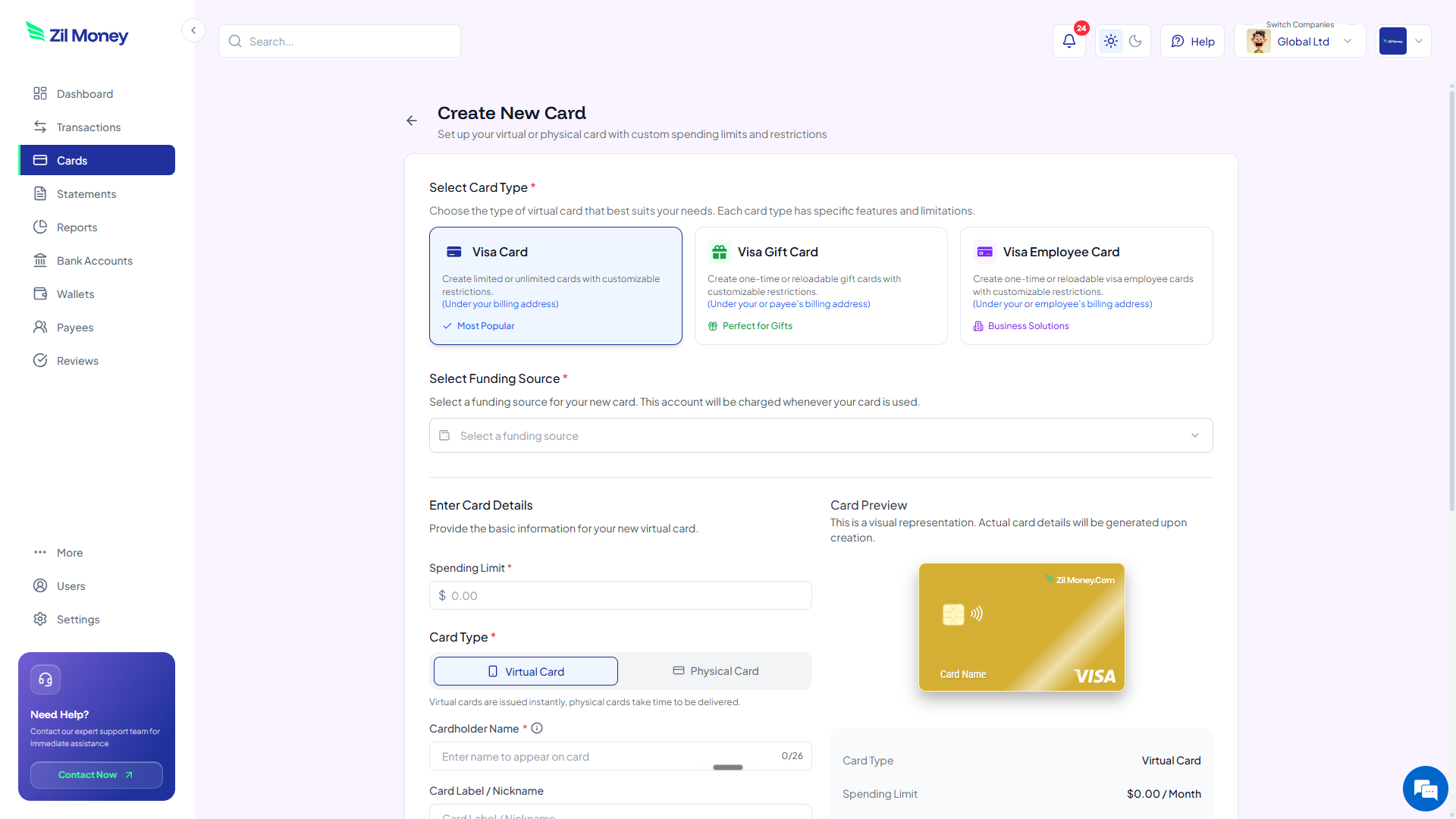
Create a card per bill.
In Virtual Card Maker, create a card for each recurring bill and label it by service, for example “Internet” or “Business insurance.” Use the card number as the payment method on file with that provider.
-
Set the limit near the normal charge.
Set each card's limit just above the usual bill, so normal variation clears but a sudden spike can be blocked based on your controls before it goes through.
-
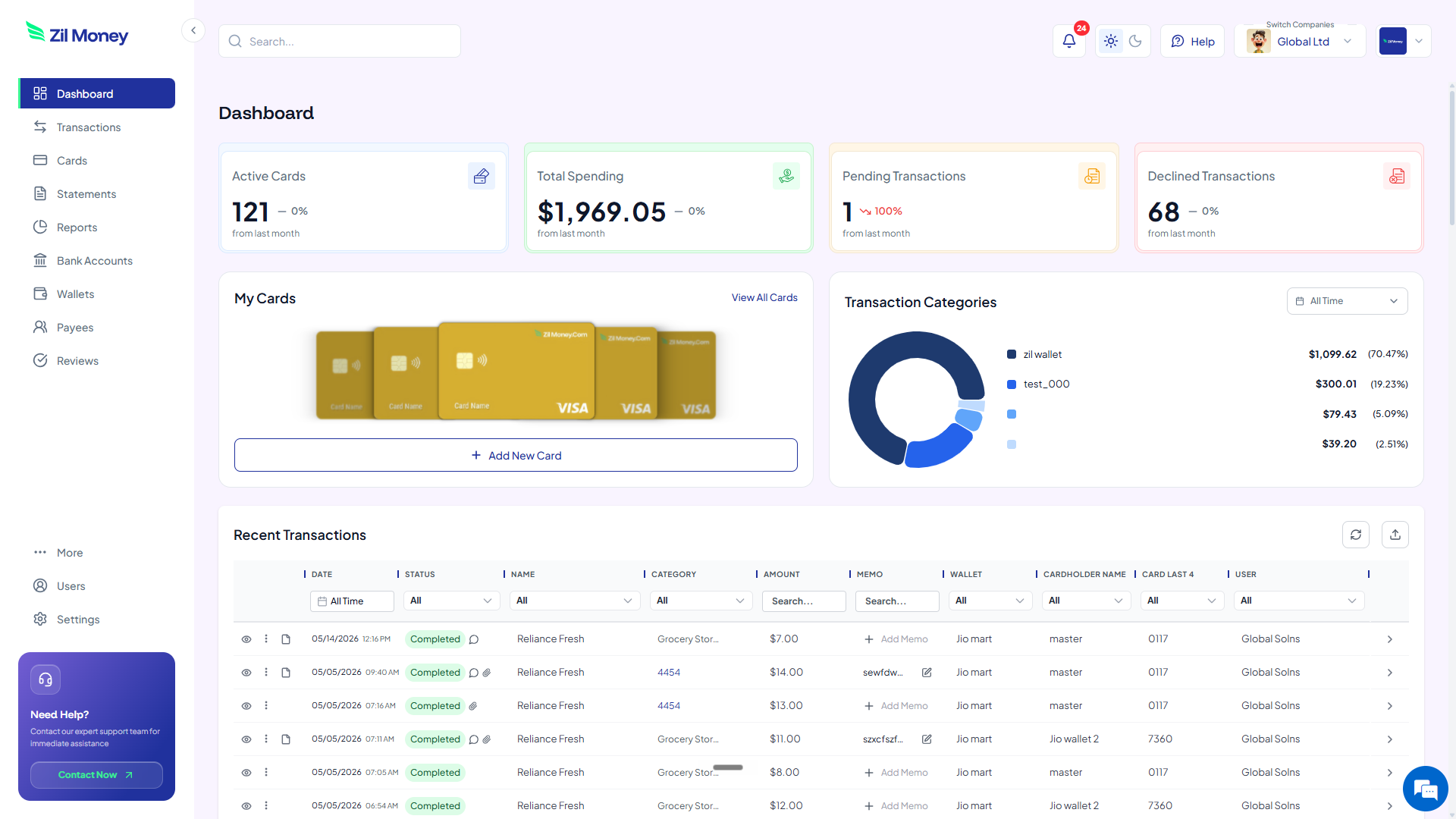
Watch and reconcile from your dashboard.
Every payment logs to its card with the merchant, amount, and date. The dashboard totals your fixed costs and flags any bill that changed. Cancel a card if you drop the service.
Tired of bills you stopped reading?
Put each recurring charge on its own capped card and let a price jump announce itself.
One card for every bill vs a card per bill
The benefit is not the card. It is that price creep, duplicate charges, and budget guesswork all go away. Here is the side-by-side.
Every biller on the same number and the same statement.
- A rate increase disappears into a large monthly total.
- Every provider holds the same card number on file.
- Duplicate or wrong charges are hard to spot.
- Fixed costs are tangled together and hard to total.
- Dropping one service means rotating the card for all of them.
A capped card per bill, each with its own record.
- A change on any bill shows up on its own card right away.
- Each biller holds a separate, capped number.
- Wrong or duplicate charges stand out against the card's history.
- Fixed costs total cleanly, one card per service.
- Drop a service by canceling its card, leaving the rest untouched.
Three recurring-bill moments where virtual cards pay off
Fixed costs feel boring until one of them quietly grows. Here are three real moments where a card per bill earns its keep.
The internet bill that crept up
Your provider raises the rate twice in a year, a few dollars each time. On a shared statement you would never notice. On a dedicated card, the higher charge stands out against the card's own history, and you decide whether to call or switch.
The subscription you thought you canceled
You drop a service, but the biller charges one more cycle. Because that service is on its own card, you cancel the card from your dashboard and the next charge has nowhere to land. You still close the account with the provider to end the contract.
The annual insurance renewal
A yearly premium renews automatically. With the policy on its own capped card, you see the renewal clearly and can confirm the amount matches the quote before it becomes just another line in a big statement.
Bills, records, and clean books
If these are business bills, the charges are likely deductible business expenses, and that means keeping records. The IRS explains what qualifies and what to document on its deducting business expenses page. A capped card controls the spend, but you still want the invoice behind each charge.
Per-bill cards make that easy. Each transaction supports a receipt or invoice upload and a reviewer, so the document attaches to the charge. At tax time, your recurring costs are already separated by service and ready to export for your accounting workflow.
Auto-categorization rules can take it further by tagging each biller automatically, so your fixed costs land in the right category without manual sorting.
Why finance teams prefer running bills this way
It is fair to ask whether a card per bill is just more cards to manage. In practice it is less work, because the alternative is reading a long statement and hoping you catch the one line that changed. Per-bill cards do that watching for you.
It also makes switching painless. When a provider raises prices or service slips, you cancel one card and move on, without rotating a number that a dozen other billers depend on. Your fixed costs stay visible, capped, and easy to change.
Set up your first bill card this afternoon
If you have a stack of auto-charging bills right now, here is the simplest next step.
- Sign up. Create an account at Virtual Card Maker. You create the card online and fund it from a connected bank account, with no plastic to wait for in the mail.
- List your bills. Write down each recurring bill and its normal amount.
- Create the cards. Make a card per bill and label it by service.
- Set the limits. Set each limit a little above the usual charge so a spike gets blocked.
- Update your billers. Put each new card on file with its provider and watch the dashboard.
That is the whole loop. Begin with the bill most likely to creep up, then move the rest over. Few teams go back to one shared card for everything.
