









 ChatGPT
 Claude
 Grok
Grok
 Perplexity
 Gemini
Why virtual cards fit event spend
An event is unlike normal spend. It is a pile of charges across a dozen vendors and several people, all packed into a few days, then it is over. The usual answer is to pass the company card around, or to have everyone pay out of pocket and sort it out later. Virtual cards fit the shape of an event: a separate card per line, capped at its budget, restricted to its vendor, and active only for the dates that matter.
Three things stop happening the day you switch:
- Passing the company card around the booth. Nobody has to read your main card number aloud or text a photo of it across the team.
- Vendors keeping the number after the event. An event card can be capped, restricted, and canceled once the show is over.
- The post-event reconciliation pile. Spend is already split by line and vendor, instead of arriving as one blur of charges and crumpled receipts.
The right question isn't “did we go over budget?” asked two weeks later. It's “what is each line allowed to spend, and how do we lock that in before the doors open?” A virtual card is how you lock it in.
What a virtual card actually is
A virtual card is a real Visa card that lives on your screen. It has a 16-digit number, an expiration date, and a CVV, just like the card in your wallet. The difference: you create it when you need it, set its spending limit, give it an optional time window, and cancel it when you are done. You can run one card per event line, all from the same dashboard.
For your team, you can issue employee cards with their own limits, so each staffer working the event has a card instead of your main account. It works wherever Visa is accepted, online, on-site, and through Apple Wallet or Google Wallet where supported.
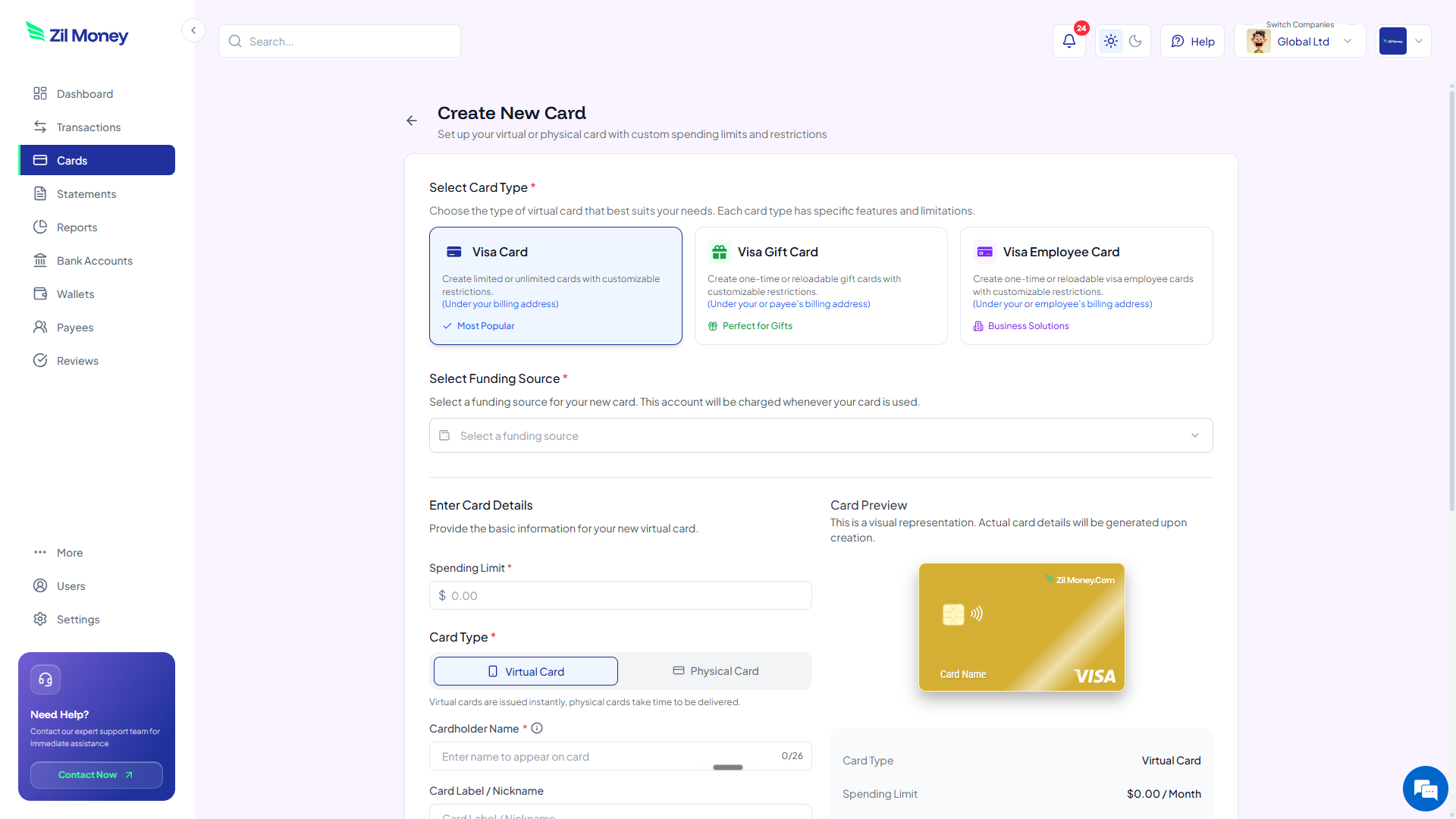
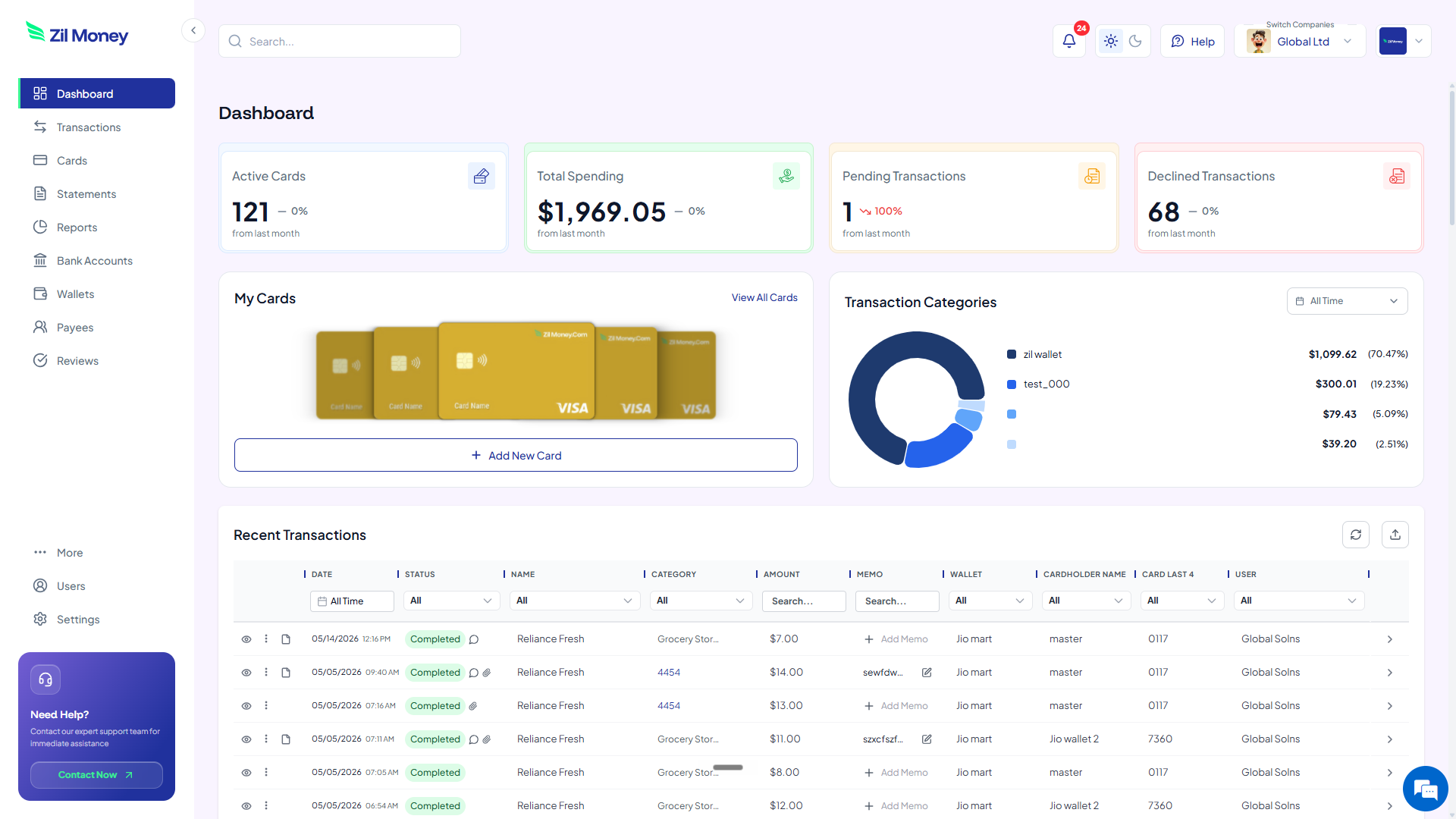
For a quick visual of how a card is built, the homepage shows the dashboard flow. If your event involves a lot of flights and hotels, pair this with the guide to business travel cards without expense reports.
A virtual card is a Visa you create per event line. Set the limit to that line's budget, restrict it to the vendor where supported, set an optional time window for the event dates, and reconcile the whole event card by card.
How to manage event spend with virtual cards in four steps
Here's the full workflow. Read it once and you can run it for every event. Setting up the first card is straightforward, and every card after that is faster.
-
Break the event budget into lines.
List the spend lines: venue, catering, AV, travel, swag, staff per-diem, and anything else. Give each line a number. Those numbers become the spending limits, so the total can never quietly drift past the budget you approved.
-
Create a card per line or per staffer.
In Virtual Card Maker, create a card for each line, and use employee cards for the people working the event. Set the limit and label each card clearly, for example “Summit, Catering” or “Summit, Priya per-diem.”
-
Restrict the merchant and set a time window.
Where supported, restrict each card to its vendor and set a time window covering the event dates. The catering card works at the caterer during the show and is dormant the rest of the year, so a stray or repeated charge has nowhere to go.
-
Reconcile the event from your dashboard.
After the event, review per-line spend, attach receipts to each transaction, and export the event's records for your accounting workflow. Cancel any cards you no longer need. The whole event closes out as a clean set of card histories.
Running an event with a dozen vendors?
Give each line its own capped virtual Visa and close the books the week the event ends.
Event spend with virtual cards vs the shared company card
This isn't about virtual cards being clever. It's that the on-site scramble and the after-event cleanup both go away. Here's the side-by-side.
One card, passed around a busy event.
- The company card gets read aloud, texted, and shared across the team.
- Vendors keep the number on file long after the event ends.
- Receipts scatter across staff bags, inboxes, and pockets.
- You reconcile venue, catering, AV, travel, and swag weeks later.
- No line has a hard cap, so the total only shows up at the end.
A card per line and per staffer. Capped, restricted, dated.
- Each vendor and staffer gets a capped, restricted number, not your main card.
- Cards can be time-boxed to the event and canceled when it ends.
- Receipts attach to each transaction as the spend happens.
- The whole event reconciles by card, line by line.
- Every line is capped to its budget before the doors open.
Three event moments where virtual cards pay off
Big ideas are easy to nod along to and forget. Here are three real moments when per-line event cards pay for themselves, usually before the event even wraps.
The trade-show booth with five vendors
One booth means a venue, an AV crew, a caterer, a print shop, and a shipping company, all wanting a card. Instead of handing the same company card to five vendors, you issue five cards, each capped at that vendor's quote and restricted to them. If the AV crew tries to add an overage you never approved, the charge above the cap can be blocked by your controls, and you see it in the dashboard.
The team offsite where staff cover their own costs
Five staffers travel to an offsite and normally pay out of pocket, then file expense reports for weeks. Instead, each gets an employee card with a limit and a time window for the offsite dates. They tap to pay, receipts attach to each charge, and there is no reimbursement pile afterward. Keep the receipts and business purpose for substantiation, since the cards make that recordkeeping easy rather than optional.
The sponsorship that tries to creep
You agree to a fixed sponsorship amount with an event organizer. To make sure the deal does not grow with last-minute add-ons, you pay with a card capped at the agreed figure and restricted to the organizer. The sponsorship can be exactly what you signed for, and not a dollar more, unless you choose to raise the limit yourself.
Events, substantiation, and clean records
Event costs are normal business expenses, but travel, meals, and related spend come with substantiation rules. You generally need the receipt and the business purpose, not just the amount. The IRS lays this out in Publication 463, which covers travel and related expenses. A spending limit on a card is a control, not a record, so the receipts still matter.
This is where event cards quietly help. Each transaction supports a receipt upload and a reviewer, so the receipt attaches to the charge while everyone is still on-site, instead of surfacing crumpled in a bag a month later. When you reconcile, each event line is its own card with its own documented history you can export for your accounting workflow.
If your event spend overlaps with team travel, the substantiation story is the same. The business travel cards guide goes deeper on the accountable-plan side of keeping those records clean.
Why event teams prefer running spend this way
The worry event leads raise is whether setting up cards is one more task during an already frantic week. In practice it moves the work to the calm part. You build the cards while you are planning the budget, then the event itself runs without anyone hunting for the company card or fronting their own money.
It also changes the mood after the event. Instead of dreading a reconciliation marathon, you open the dashboard and read the event line by line, with receipts already attached. The team stops chasing reimbursements, and finance stops chasing the team. Everyone gets their evenings back.
Set up your first event card this afternoon
If you have an event coming up on the calendar, here's the simplest next step.
- Sign up. Create an account at Virtual Card Maker. Getting started is straightforward.
- List your lines. Write down the event's spend lines and the budget for each one.
- Create the cards. Make a card per line, set each limit, and use employee cards for staff working the event.
- Restrict and date them. Restrict each card to its vendor where supported and set a time window for the event dates.
- Reconcile after. Attach receipts to transactions, export the event for accounting, and cancel cards you no longer need.
That's the whole workflow. Start with one event, then make per-line cards your default for every show, offsite, and sponsorship. Most teams that run one event this way never go back to passing a single card around the floor.
